Hey there! It has been a while, and there have been significant changes in my life since my last update. To summarise, I sold everything, moved to a new country, started a new job, made new friends at the Toronto Public Library while I was looking for my first job in Canada, lived in a basement, moved to a new place with 2 dogs and 1 cat, visited Niagara Falls (basic), enjoyed a lot of hikes in -30°C weather, bought a car, shoveled a combined of 2+ metres of snow during winter 2025, visited my home country for a vacation, took selfies with a camel, turned 30, and I’m all set to move to a new place in Vaughan (no doxxing pls!😢); and begin a new job in the FinTech industry.
Obviously, to achieve all of the above, one thing was an absolute essential - a VPN (kidding, OK?). I’m not a big believer in using commercial VPN services (for various reasons but mainly privacy concerns), so I decided to build my own. I needed just three things: a VM running on a cloud provider (Oracle offers this with its always-free tier), a VPN server (WireGuard/IPsec), and a network-level adblocker (Pi-hole DNS).
Launching Your VM
- Sign up for OCI Free Tier (I prefer switching to Pay as you go because it gives you higher priority for ARM VMs - but they’re still free!)
- You only need a few things to get started. Try finding a guide on the internet but basically:
- A VCN (virtual cloud network) in your home region
- An instance (preferably Ampere-based, upto 4 OCPU and 32GB RAM is free with 10 TB bandwidth), use this script if you get an Out of Capacity error. Alternatively, you may get an Intel-based instance, which has a limited network throughput of 480 Mbps. And you will get half that, at best, because VPN is a two-way communication with the internet (also, the poor single CPU core will be busy juggling between encryption/decryption, DNS queries, etc). Make sure to choose the appropriate image based on CPU architecture. Intel is x64 (AMD64) and Ampere is aarch64 (ARM). Make sure you add a public SSH key during creation.
- A public IP address for your instance (IPv4)
- A security list on the public subnet to allow inbound traffic on port 51820 (WireGuard) and 500, 4500 (IPsec) and 22 (SSH)
- Feel free to write a terraform module for this if you want to automate the process.
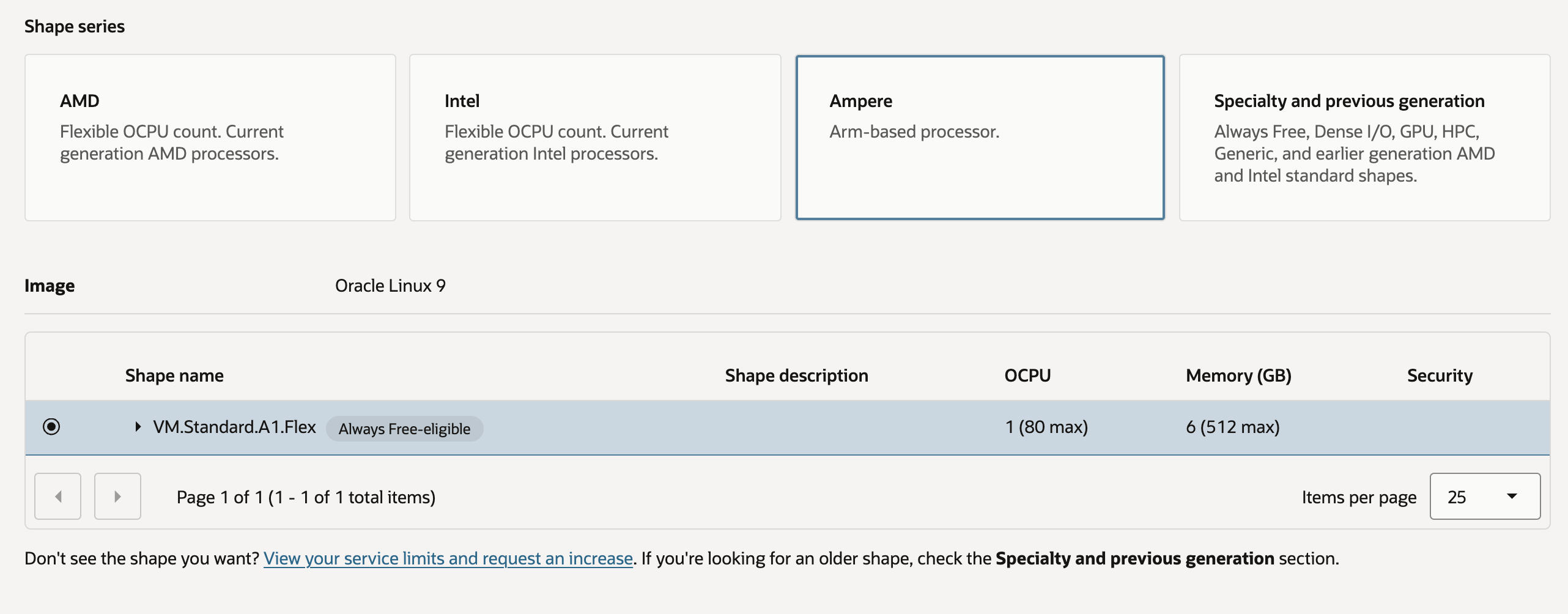
Oracle Cloud Create VM
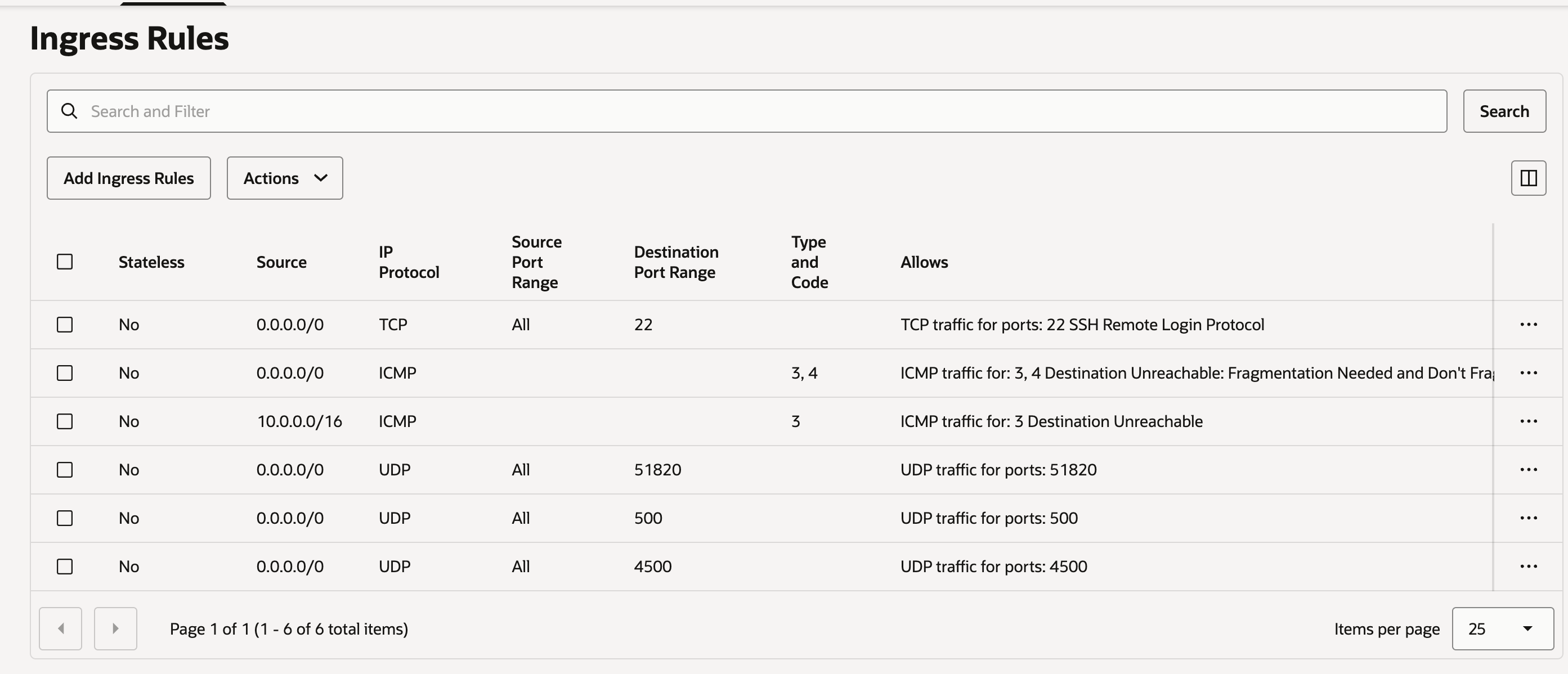
Public Subnet Security List Ingress Rules
Installing Pi-hole and WireGuard/IPSec
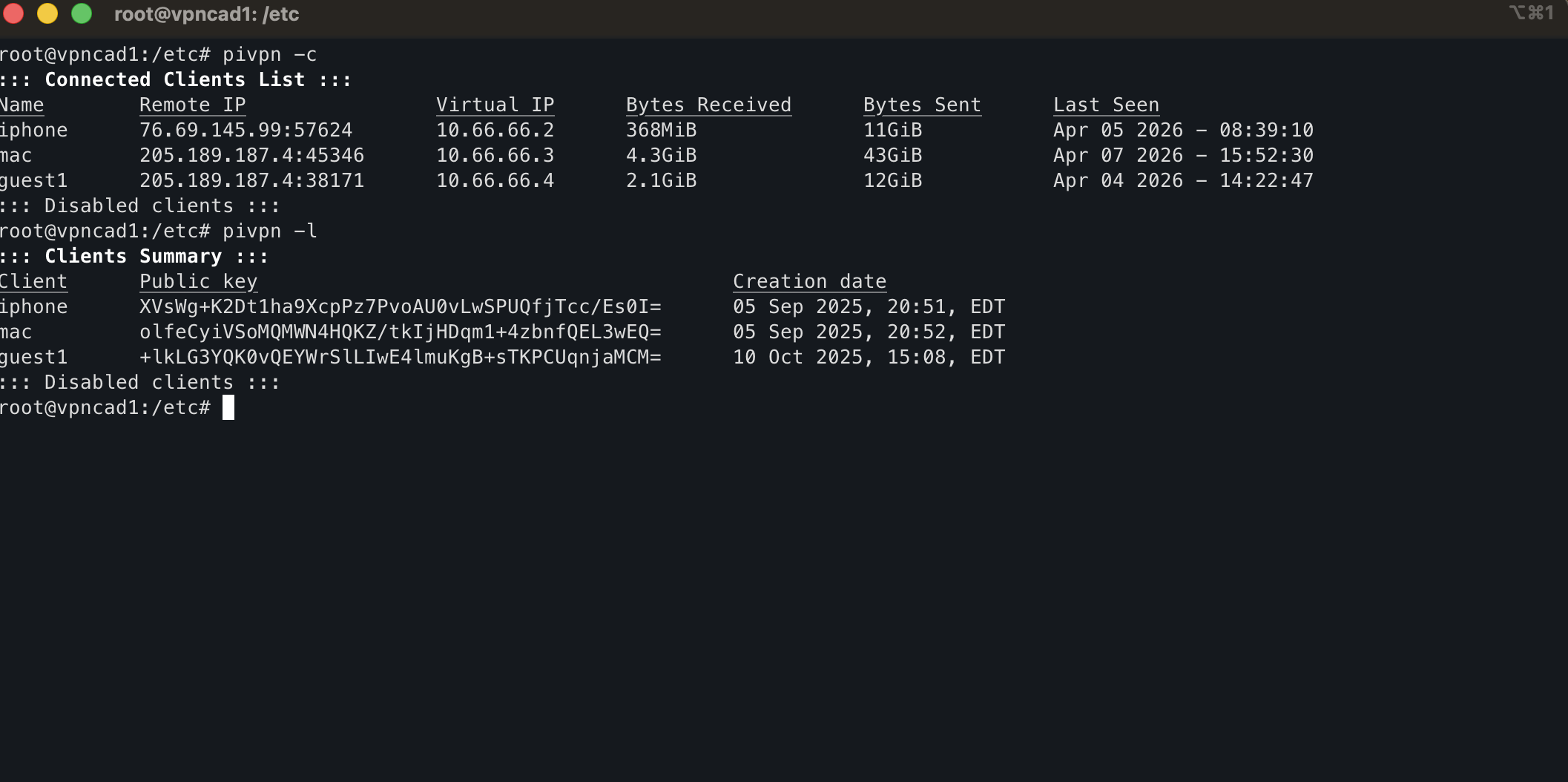
Generally, I’m not a huge fan of setup scripts, but considering Oracle can shut you down at any moment, this is more of a disposable setup. Run each command individually and verify what it is doing before moving to the next one. You may use a tutorial like this one .
| |
Wireguard has clients for all platforms. You can install it on your device and use the config generated in
/home/opc/configsto connect to your VPN.
Refer this documentation if you want to manage IPSec users and this link to configure IPSec clients.
Login to the Pi-hole web interface at http://pi.hole/admin using the password you set earlier once you are connected to the VPN. Go to lists > delete all lists > Add blocklist https://raw.githubusercontent.com/hagezi/dns-blocklists/main/adblock/pro.txt > Tools > Update Gravity (for some reason, the default list blocks legitimate websites for me).
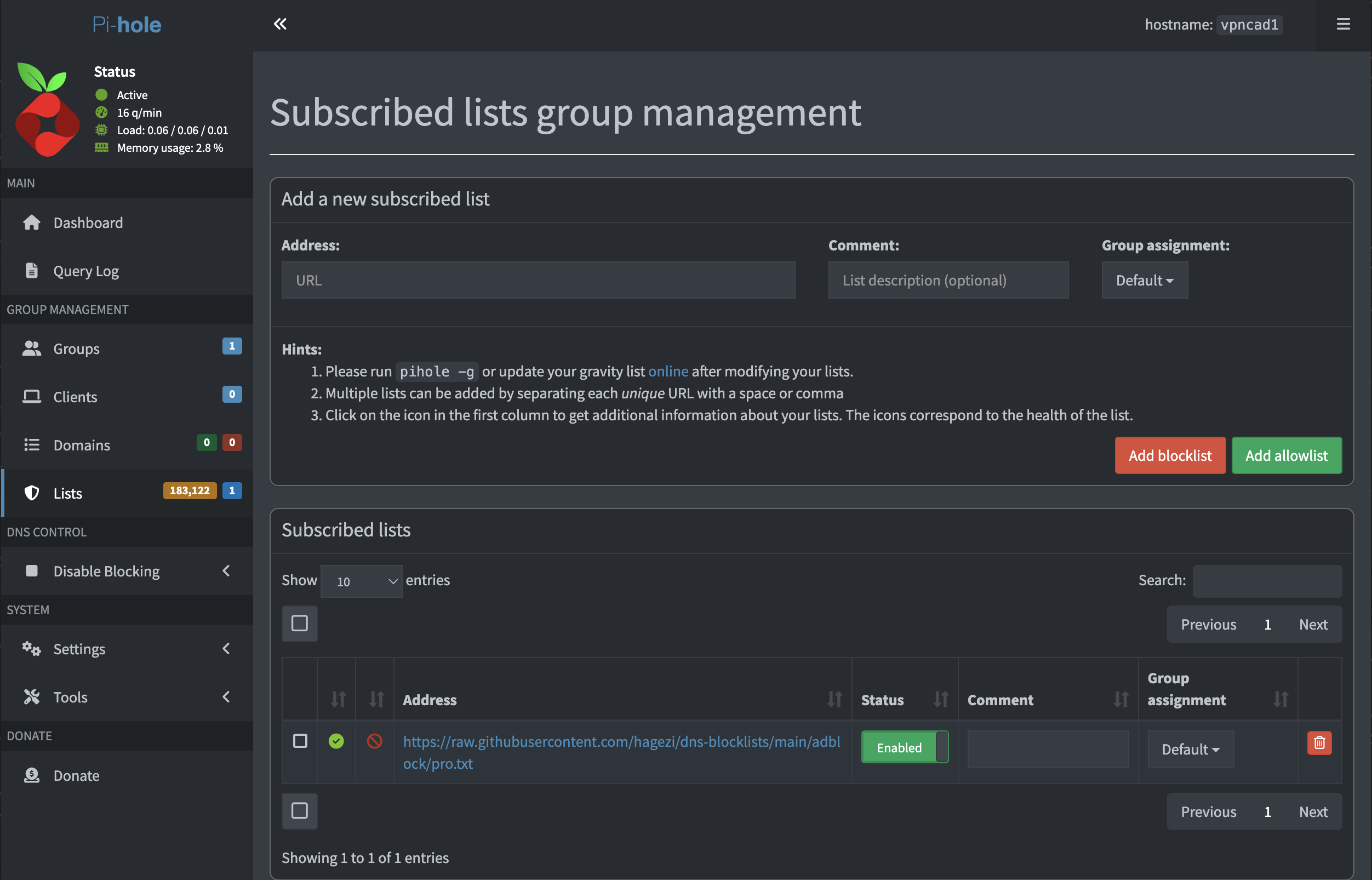
Pi-hole Web Interface
Use Cases and Gotchas
- I have used this setup during my trip to Dubai to do WhatsApp calls/videos (VoIP is blocked in the middle-east to support the oligopolistic telecom companies)
- I have used this setup to bypass content restrictions on airplane Viasat Wi-Fi (Netflix and video calls at 40,000 feet over an ocean FTW!)
- Blocks ads network wide!
- Keeps your internet traffic private until it reaches your VPN server which acts as an exit node
- I will be purchasing a portable-hardware travel router to maintain a persistent VPN connection while traveling
- Profit?
Gotchas:
- ASN number for Oracle Cloud is widely known and is classified as a “data center” ASN. This is used by some websites like Reddit to block traffic/bots.
- Keep a watch on your usage - if you have upgraded to Pay as you go, stick to the Always Free Limits .