
Motivation
I wanted to enable Apple CarPlay/Android Auto on the infotainment of my Ford Ecosport (this works for Figo/Aspire too!), but without swapping out the factory head unit. Reddit says to ditch the car and buy a new one to achieve that goal, and I agree; The question I have is: In this Economy?!?! The car has a nice 9-inch touchscreen so usability won’t be an issue. 😏 The problem? It runs ancient Windows CE 6.0 on ARM (MT33xx processor with 256 MB of RAM). This unit was installed on Ford cars before August 2020 . Post that, it was replaced by an equally bad Android 4.2.2 with still no CarPlay support. Overall, I wanted to check if I could modify a few lines here and there to convert the car into a Decepticon . That didn’t work but I still managed to add CarPlay support and tested it successfully on a 12-hour drive to Goa. 🤩
A Warning
Before we proceed, a word of caution. This is a hack, not a feature. You could kill your head unit, or your airbags could blow out since the head unit is connected to the CAN bus . Most likely not, since I have been using this for more than a year, but you’ve been warned. You’ll be replacing the existing Mapmyindia with third-party software.
Pre-requisites
There’s not enough processing power in the built-in unit, so we will need to acquire additional hardware to run CarPlay.
- Make sure that you have a Windows CE unit. To confirm, go to Settings > Wifi connectivity should NOT be present.
- A USB flash drive (8GB or more) and an SD Card reader.
- Hardware: Carlinkit CPC200 CCPM/CCPA/CCPW AutoKit dongle (Basically any of these ). I am specifically using CCPM (wired-only) and I suggest you do the same. This can be found on online retailers like Amazon , eBay , Ali Express . Make sure the seller is trusted. It took 23 days to arrive, so patience is key. Cost: ~$30 (Please buy this only after you’re able to flash the AutoKit software onto your unit!)
- Autokit software merged with Mapmyindia to disguise it as a map update. 🤣 Link: typlo-gh/Ford-WINCE-Autokit
Note: If you have an Android head unit, I have not tested this and it will not work.
References
- I went through a few guides like XDA and YouTube . Unfortunately, I didn’t find exactly what I was looking for — a simple way to launch the app and I don’t want to do the finger-gymnastics mentioned in the YouTube video. This is a good reference point, however, because it mentions how to get access to the head unit which might be useful later in this guide.
- We will use MortScript to launch the app. This is a script interpreter ( user manual ). We need to use this as the OS detects attempts to run unapproved code and blanks out the screen. 🤷 We can bypass that attempt by launching a program to launch another program. We have to test everything though, so I wrote the scripts and tested it on an emulator
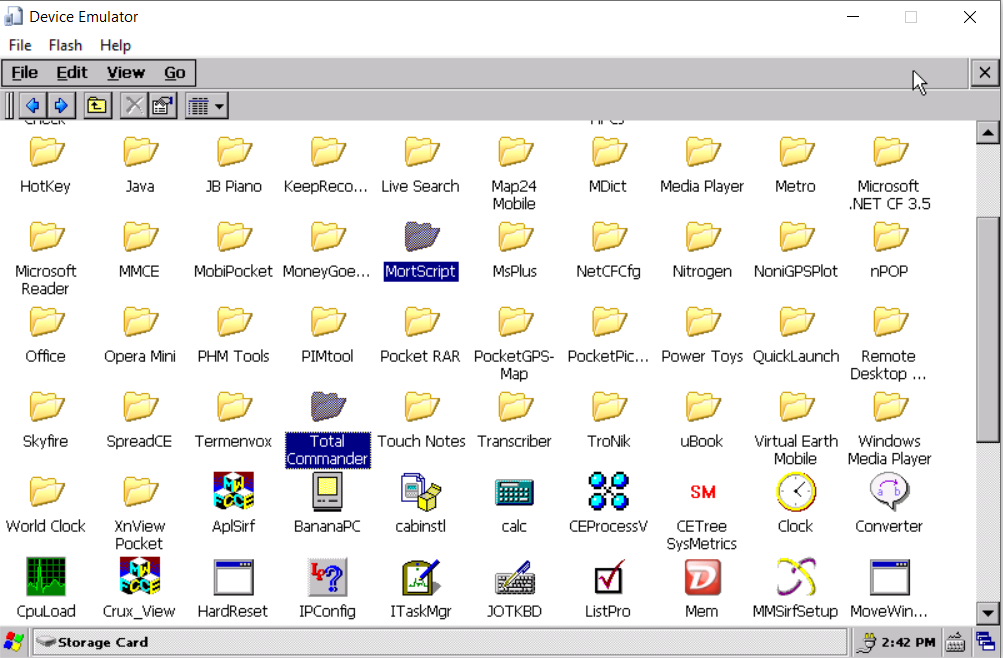
WinCE Emulator
Actual Hacking
There are two ways to load our malware 😀 onto the system and you can follow either one. Physically pulling out the storage is needed in cases where the Soft Attempt fails.
Objective: We want to update the Maps path to
\SDMEM\LaunchAutoKit\Arthur.exe(MortScript executable) which in turn launchesRun ( "\SDMEM\AutoKit\BIN\AutoKit.exe" )(AutoKit executable)
Soft Attempt:
- Format a USB drive to FAT32.
- Copy the entire contents of this repository to the root of the USB drive (for example - NaviMaps and other directories should be in the root of the USB drive). It should look like this:
| |
- Insert the prepared USB drive into the available USB port in the infotainment system.
- Go to Settings > General > Map Update > Yes (make sure the engine is running while contents are being copied).
- Go to Settings > General > Map Path - Select
\SDMEM\LaunchAutoKit\Arthur.exeto select the Autokit application for the next reboot. Settings > General > Reset (this will reboot the unit).
Once the unit reboots, tap “Navi” and if you see the screen below, you’re Golden, otherwise, it’s time for maximum effort.

AutoKit App
Hard Attempt:
- You can follow the instructions in this YouTube video to open up the head unit and get direct access to the SD card, this is the video I used to reach a point where two roads diverged and I had to take the one less travelled by (Get it? 😹)
- Once you eject the SD card, format it as FAT32, copy all the contents that you downloaded from my Github repository above maintaining the same directory structure, plug it back into the unit.
- Test the app out before you fasten the screws to put everything back together.
- Follow
Step 5in the Soft Attempt section and you should be able to launch the app.
What now?
Once you have your app running, plug in the AutoKit dongle and the head unit should display the firmware version number (if the dongle is detected) on the bottom left of the screen. Go ahead and connect your phone via the USB-A port to the dongle and CarPlay/AA should work.
Limitations and Bugs
Screen blanks out on reverse camera or when the door is open
Workaround: This is a known bug. Just keep the doors closed and drive forward 🤷. In cases when you need to reverse, plug out your phone and plug it back in after you’re done. Minor inconvenience.
Volume controls not working
Workaround: This is a known bug. Keep Bluetooth connected and select Audio Output as “Media Center” on your phone. I have made a Siri Shortcut to do this automatically. Just add it to your iPhone > Shortcuts > Automation > When? (CarPlay connects) > Do? (Send Audio To Car) > Run Immediately > Done.
Final Words
Do remember that this is a hack. But oh boy, for a hack it works really damn well! On a side note, I tried getting AI to write part of this tutorial. Unfortunately, it started hallucinating and I was forced to write the thing myself. There’s really no cure for human ingenuity (though Windsurf and Gemini-CLI come close — stay tuned!). 🚀